BYOM application #1

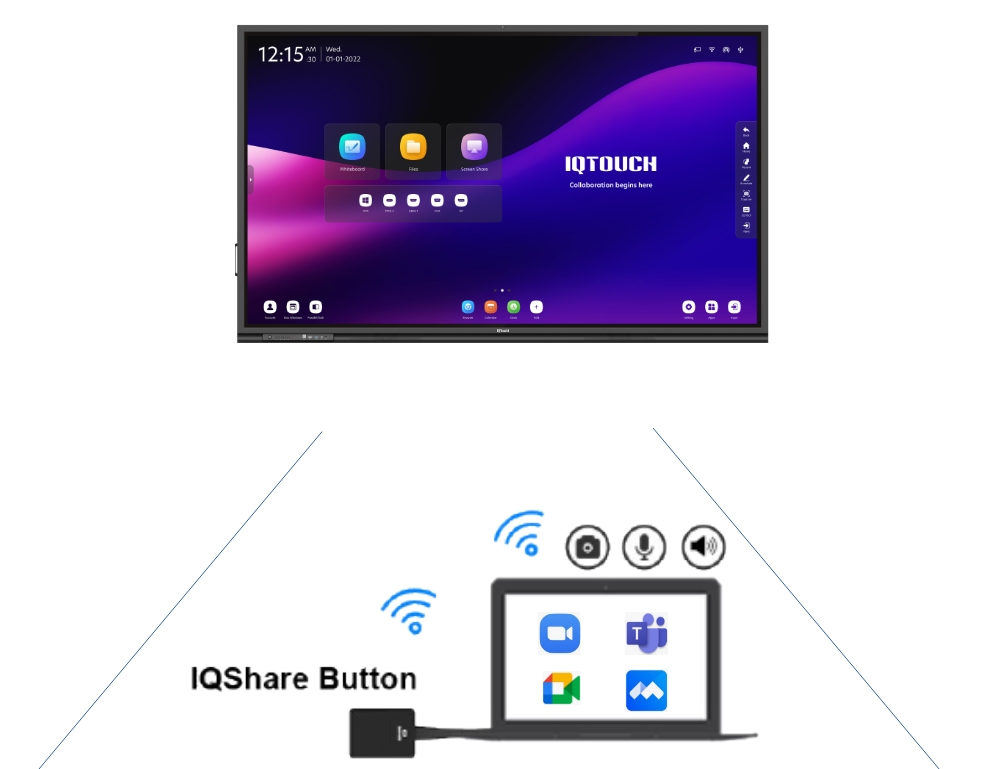
BYOM with IQShare Touch Panel

  1. Plug in IQShare Button Type C (Dongle) into Full Functioned Type C port with display capacity in computer.
  2. In online meeting app, Select Mic, Speaker, and Camera from touch screen panel.


Support IQShare Interactive Panel model

  • HA1100 & above
  • QA1300 & above
  • TB1100 & above
  • TE1100 & above
BYOM application #2

BYOM with IQMeet HY200 & WP40

  1. Plug in IQShare Button Type C (Dongle) into Full Functioned Type C port with display capacity in computer.
  2. In online meeting app, Select Mic, Speaker, and Camera from touch screen panel.


Support IQShare products model

  • WP40 wireless screen mirroring box & Type C button
  • IQMeeting HY200
  • Compatible USB Microphone, camera

Views: 45